
AI Studio
Turn raw product photos into scroll-stopping lifestyle shots, clean packshots, and short-form video — all from one canvas-based workspace.
A full creative studio in your browser
E-commerce brands need an endless stream of fresh visuals — lifestyle shots for social, clean packshots for listings, ad creatives for campaigns — and traditional production just cannot keep up. AI Studio replaces the photographer, the retoucher, and the render farm with a single canvas workspace powered by six leading AI models. Upload your product images, pick a model and a preset, type a prompt, and watch production-ready images appear in seconds. Every generation is tracked, versioned, and saved to your session so you can iterate freely, compare outputs, and push finished assets directly to your connected store without ever leaving the app.
What you can create
How the workspace works
**Canvas sessions.** Every project lives in its own canvas session. Start fresh or resume a recent session from the studio home screen. Sessions persist all your generated images, references, and configuration so you can pick up exactly where you left off.
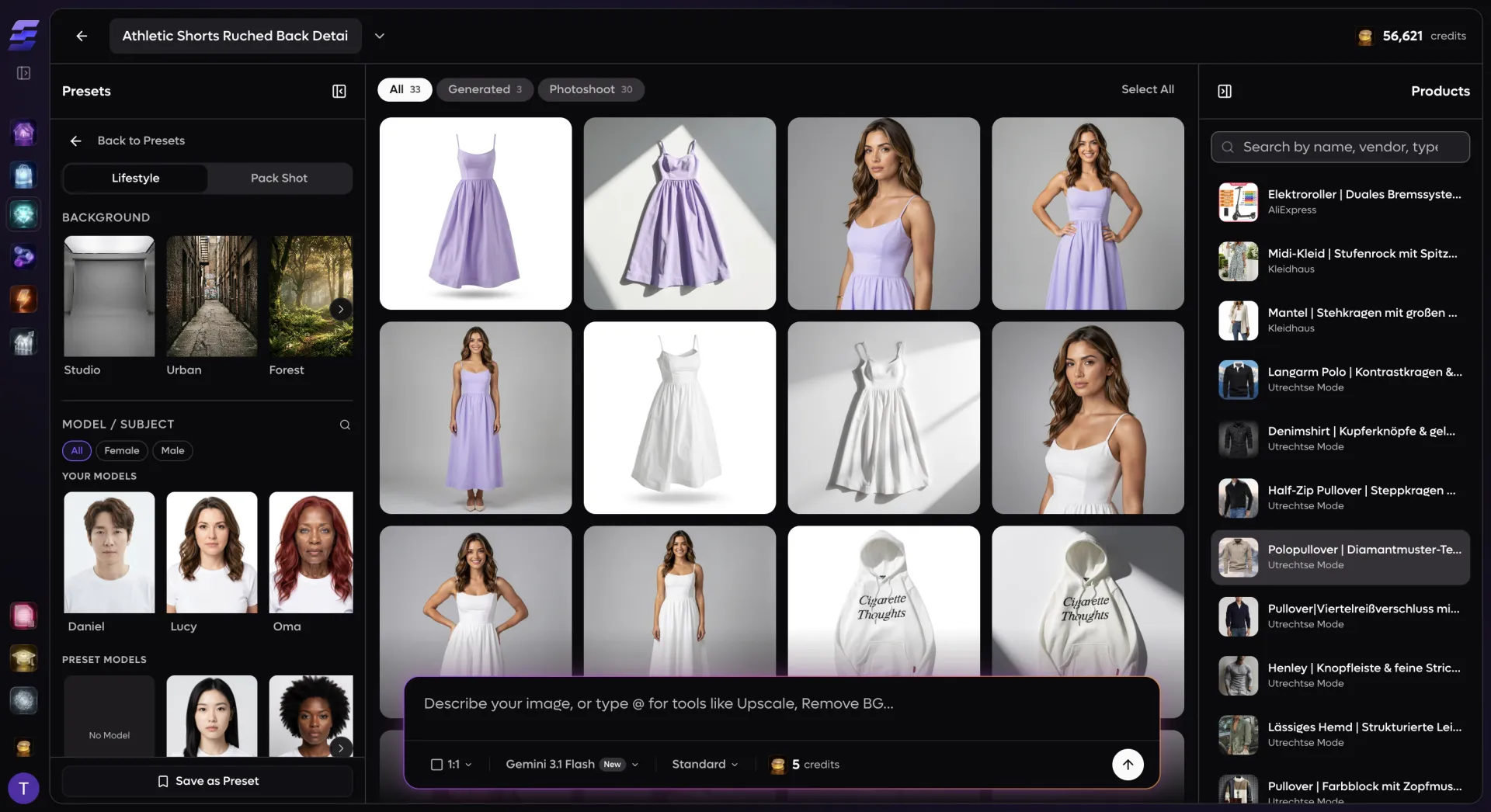
**Three-panel layout.** The left sidebar holds your visual presets — both your own custom presets and the EcomVault community library organized by category (fashion, editorial, beauty, street, minimal, textured, and more). The center viewport displays your generated images in a filterable grid with full-screen lightbox preview. The right sidebar shows your store's product catalog, letting you browse products, select reference images, and drag-and-drop generated images directly onto products to save them.
**Prompt bar with smart tools.** The floating prompt bar at the bottom is the control center. Type a natural-language prompt, attach reference images by clicking product photos, pick your AI model, set the aspect ratio (10 options from 1:1 to 21:9), choose a resolution tier, and hit generate. Use the @ mention system to invoke specialized tools — Upscale, Remove Background, Photoshoot, or Ideas — right from the prompt bar.
**Preset-driven generation.** Build and save visual presets that lock in your preferred model, background, crop, expression, pose, rotation, camera, and tone settings. Apply a preset to any generation with one click — the system assembles a production-quality prompt from your configured options automatically. Edit presets inline or fork community presets to match your brand.